















How to log in to an existing account
For an account created with an email address, use the PeraBet login form and the password set during registration. In my own test, I first confirmed the email address through the link received, then logged in on a mobile browser. A repeat login with the same credentials worked after the previous session was ended.
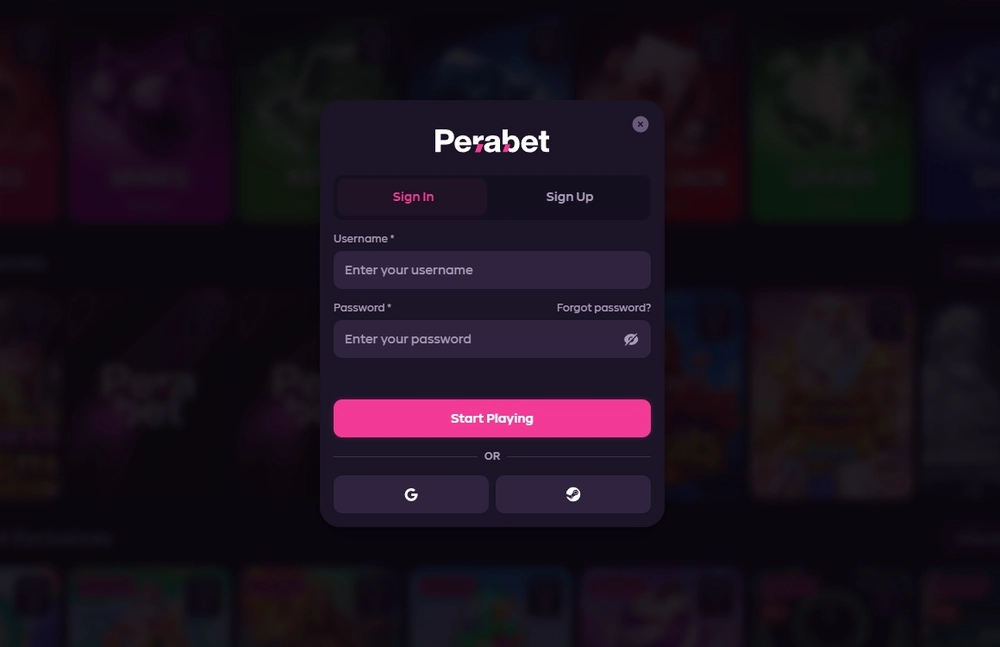
These actions confirm the email route specifically, rather than every authentication option mentioned in other product descriptions.
- Open the login page from the operator's verified interface. If you are unsure whether you have opened the right address, first use the guide to check the current address.
- Enter the email address linked to your account and your password. Do not share them through a messenger, email or a form on a third-party site.
- If registration is not yet complete, open the confirmation email. In the tested case, the link was used before the first login.
- After login, check that your account has opened. If you used someone else's device, sign out when finished and review the list of active sessions.
This sequence does not mean PeraBet always requires a new code or document for every login. In the repeat login described, email and password were enough. A one-time SMS code was used for withdrawals in separate episodes; applying that requirement to every login would be a mistake. The operator may request identity checks where its terms provide for them, but document-based KYC was not part of this login.
| Scenario | Device and context | Action | Confirmed outcome |
|---|---|---|---|
| Preparing for first login | Xiaomi Redmi 10C, mobile browser | Opened the link in the confirmation email | Email confirmed before login |
| First login | Xiaomi Redmi 10C | Entered email and password | Account opened |
| Repeat login | Mobile browser after ending the previous session | Entered email and password again | Login succeeded |
| Changing devices | Moved to iPhone 14 Pro | Previous session ended in Settings | Access on the old device revoked |
| Additional protection | Account Settings | Viewed the 2FA screen with QR code and secret | Setup is available; linking must be completed to protect login |
The table shows two different states: email and password login was completed, while 2FA setup was available on the account screen. To enable 2FA, the owner must separately link an authenticator app. The mere appearance of a QR code does not change the login method or protect the account until setup is complete.
If the password does not work
When the password was incorrect, the form in the tested interface remained on the login screen. Start by checking the keyboard layout, stray spaces and that you entered the account email address. Do not keep trying random combinations or give your password to a chat agent: support needs a description of the difficulty, not your secret credentials. If you forgot the password, use the email recovery route linked from the login form.
Recovery is tied to the account email address. After requesting it, follow the instructions in the message received and note any stated expiry for the link or code. Changing the password and ending active sessions are separate actions: after recovery, check the device list in security settings and revoke unneeded sessions yourself.
If you cannot see the email, check your address and the usual inbox folders. Then return to the login form and make sure you started recovery there. Do not open a link from an unexpected message you did not request just because it mentions PeraBet.
If you have lost access to the linked mailbox, describe the situation through the confirmed operator support channel, without posting your password, one-time code or full payment details in an open chat.
Before another recovery attempt, it helps to identify which account you need. One person may have several email addresses, but the message goes to the address tied to that particular PeraBet profile. Do not create a new account solely to work around a problem with the old one: the operator's terms allow one active account per person. First check your own confirmation emails and registration records, then tell support which address you can no longer access.
If the message includes payment history, share only the details needed to locate the case through a verified channel. This helps recover access without exposing the login secret or confusing two different profiles.
| Situation | What is known | What to do |
|---|---|---|
| Incorrect password | Form remained on the login screen | Check the entry; use email recovery if needed |
| Forgotten password | An email recovery route is available in the interface | Start it from the login form and use only the linked mailbox |
| Unclear which site address is open | Logging in and checking the address are different tasks | First check the address using the separate guide |
| Lost access to the linked mailbox | The interface recovery flow depends on email | Contact operator support and follow its procedure |
| An old phone still has a session | Active sessions and Revoke are available in Settings | End the unneeded session, then check login on the new device |
A form remaining on the screen does not identify the cause of an error: either the email address or the password may be wrong. If the page will not open at all, check the navigation route before changing account details. Identify the step where the problem arose, then choose recovery or support.
How to recover access by email
Recovery starts from the login form and is tied to the account email address. Open the relevant action, enter your email and follow the message sent to that mailbox. If you did not request an email, do not treat it as a reason to follow a link.
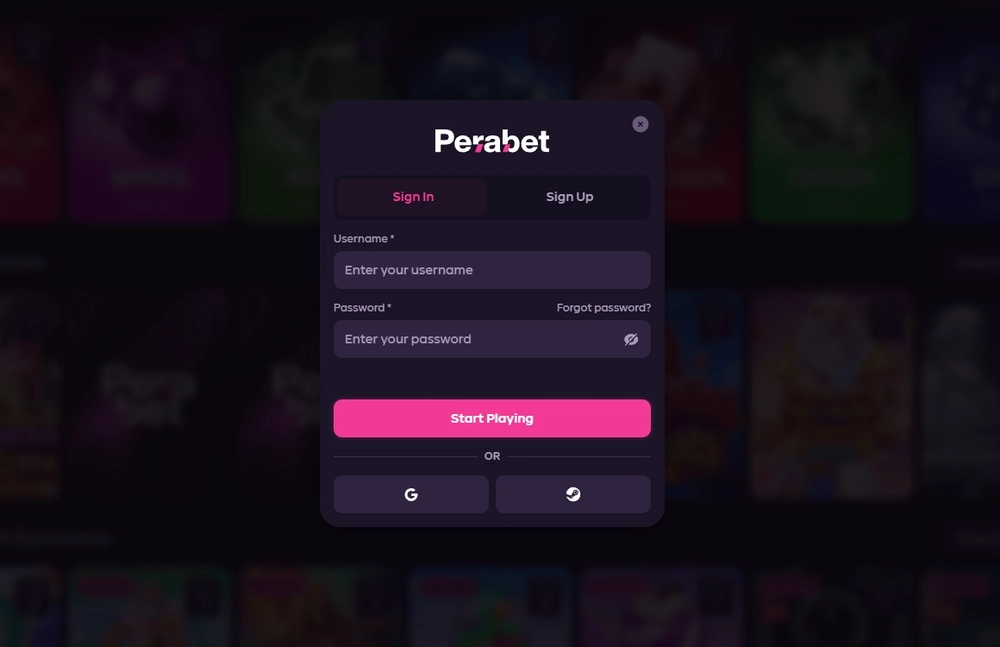
After changing the password, check the session list and end access on devices you no longer use. This is a sensible way to keep control, but it does not replace completing the operator's actual procedure.
Keep three situations separate. A forgotten password is addressed through the recovery route. An unknown current address requires checking that the site is genuine before entering credentials. Loss of mailbox access may require contacting support because the ordinary recovery email will not reach you. Treating all three problems as “try again” makes login less safe and often delays a solution.
External accounts may be used when creating a new profile, but to log in to an existing email profile, use that account's credentials. If you cannot remember how you registered, check your emails and previous login route before trying to create another profile. The account described used an email address, mailbox confirmation and a password.
Sessions and security after login
PeraBet Settings show current and active sessions and the Revoke action. When changing phones, I ended the old session and logged in again on an iPhone 14 Pro. In my test, revoking the session did not change account balances. This distinction matters: ending access on a device is not a financial transaction, a cancellation of a request or closure of the account itself.
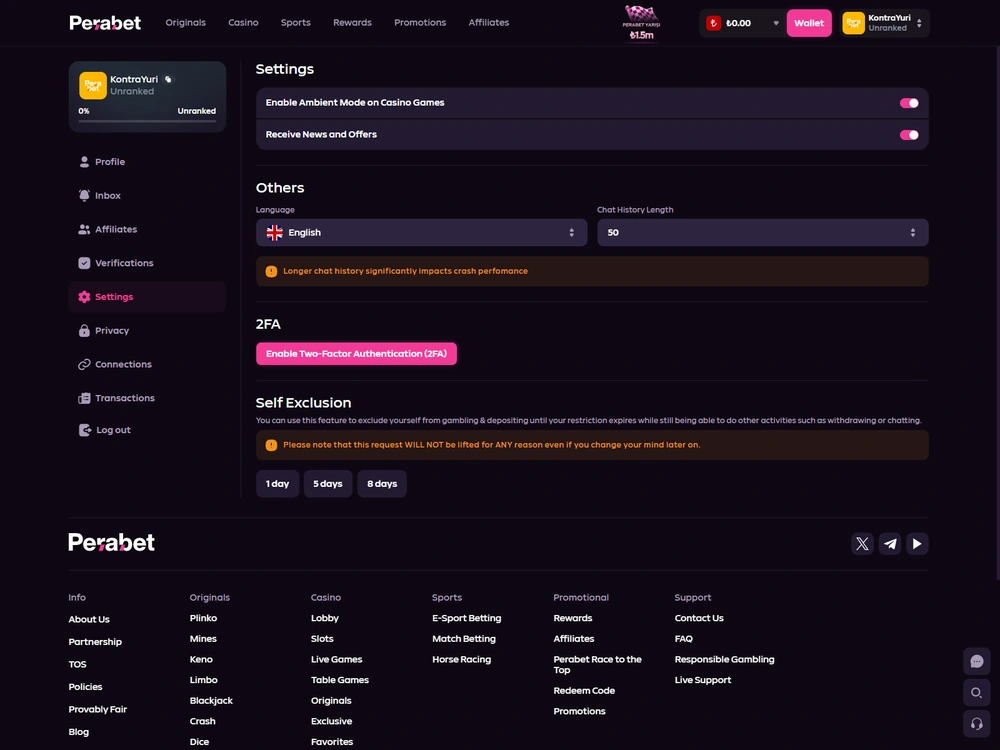
Review sessions if you have lost your phone, signed in on someone else's device or noticed unfamiliar activity. End access where it is no longer needed and change your password through the available route. If you see actions you did not take, give the operator a precise description through verified support. Do not regard a public chat or random social account as a safe place for passwords and codes.
The same profile section has privacy settings that hide details and statistics from other users. These do not end an authenticated session: profile visibility and the active-session list serve different purposes. To protect access after losing a device, use sessions and passwords; to reduce public profile information, check display settings. Hidden statistics do not prove that another person has been signed out.
The reverse is also false: revoking a session does not automatically change the chosen profile visibility. Keeping these settings separate helps you take the action you actually need.
Authenticator-app 2FA setup is available in the interface: the screen shows a QR code, secret key and app-code field. If you decide to enable it, follow the steps within your account and keep the secret out of messages. The feature protects login only after linking is complete; the account described used email and password without enabled 2FA.
Do not confuse 2FA with SMS for withdrawals. A one-time SMS code was used for two withdrawal requests; repeat login to the same account used email and password. If you enable app-based 2FA, follow its separate setup prompts. Login, identity checks and withdrawal confirmation concern the same account, but each step has its own terms and consequences.
Login and the current address serve different purposes
The login page helps an existing account owner sign in and recover access. It is not a list of PeraBet mirrors or changing domains. If a page's origin is unclear, first check the address using the separate current-address guide, and only then enter your email and password. A matching logo or button label alone does not prove the form is genuine.
This order matters especially for links in messages and search results. A malicious form can ask for the same email and password as the real one, so the source of the link is decisive. Do not enter an SMS code, 2FA secret or card details on a page whose only claim to legitimacy is a similar name.
If you have already shared secrets with a suspicious site, change your password through a verified route, revoke unnecessary sessions and tell the operator what happened.
A new reader who has not created an account should start with registration. In the route described, email confirmation was specifically part of preparing for first login after registration. An existing user need not repeat every registration field for an ordinary login unless the operator requests a separate check under its stated rules.
How to describe a problem when the usual steps do not help
Support needs to know where access failed: the page will not open, the form rejects the password, the recovery email does not arrive, or login succeeds but a section is unavailable. Each case calls for different checks. Start your message with the specific action and observed result, rather than a general “my account does not work”.
State the device type and browser if the problem occurs on only one phone. Do not attach a screenshot showing your password or secret key.
If the page will not open at all, first investigate the address using the separate guide. If the form opens but rejects the password, check the email address entered and use recovery. If you changed the password but the old phone still shows an active session, check Settings and revoke it.
This separation helps avoid an unnecessary password change for an address problem and an unnecessary mirror search for a simple entry error.
If the difficulty occurs inside a particular section, send it to operator support with details of the relevant action; information on payment methods is on the payments page.
When contacting support, do not reveal your password, SMS code, authenticator-app code or 2FA secret. The operator may ask for enough information to locate the case, but a public chat or random private message is not a safe place for secrets. If you have already entered them on a doubtful page, first regain control of the account: open a verified route, change the password and end unnecessary sessions. Then tell the operator so it can investigate related actions.
Access: key takeaways
Email and password login, revocation of an old session and visible 2FA setup provide a clear way to manage access through the mobile site. The main practical limit is the first confirmed email address and recovery's dependence on the linked mailbox. When something goes wrong, distinguish a password problem from an address problem, and withdrawal SMS from ordinary login.
For an unidentified form, first use the address check; for a problem inside the account, contact operator support.

- Published
- 24 October 2026
- Device
- Xiaomi Redmi 10C
- Methodology
- Rating methodology
Frequently asked questions about login
Can I log in to PeraBet with an email address and password?
Yes. On the tested account, both first and repeat logins in a mobile browser used email and password. Before first login, the email address was confirmed through a link in a message.
What if I forgot my PeraBet password?
Use email recovery from the login form and follow the steps and expiry in the message received. After changing the password, check active sessions. If you have lost access to the linked mailbox, contact operator support.
Is an SMS code required for every login?
Email and password were enough for the repeat login described. SMS codes were used for withdrawal requests, while app-based 2FA has a separate setup.
How do I end a session on another device?
Open account security settings, review active sessions and use Revoke for a device you no longer need. This is how the previous session was ended during the tested move between phones.
Where can I find the new address if the login page does not open?
The current address and mirror check is covered in a separate guide. Confirm that the page is genuine before entering credentials. A similar form or logo alone is not enough.
Responsible gambling
18+Gamble responsibly. Gambling can cause financial and personal harm. Set your own limits; participation is for adults aged 18+. If you need help, contact GamCare or GambleAware.
Operator and licence
The PeraBet operator is SXM Management N.V. (registration no. 138661), at Groot Kwartier 10, Livestrong Building, Curaçao. The operator's published information lists licence number OGL/2024/777/0365. Curaçao Gaming Authority: licence register.