















Registration is needed for betting, deposits, withdrawals and promotions. For a new user, PeraBet registration means creating a profile on the operator's site, opening the confirmation email and logging in for the first time. This sequence distinguishes a new account from logging in to an existing profile and helps explain what details may be needed later.
How to create a PeraBet account
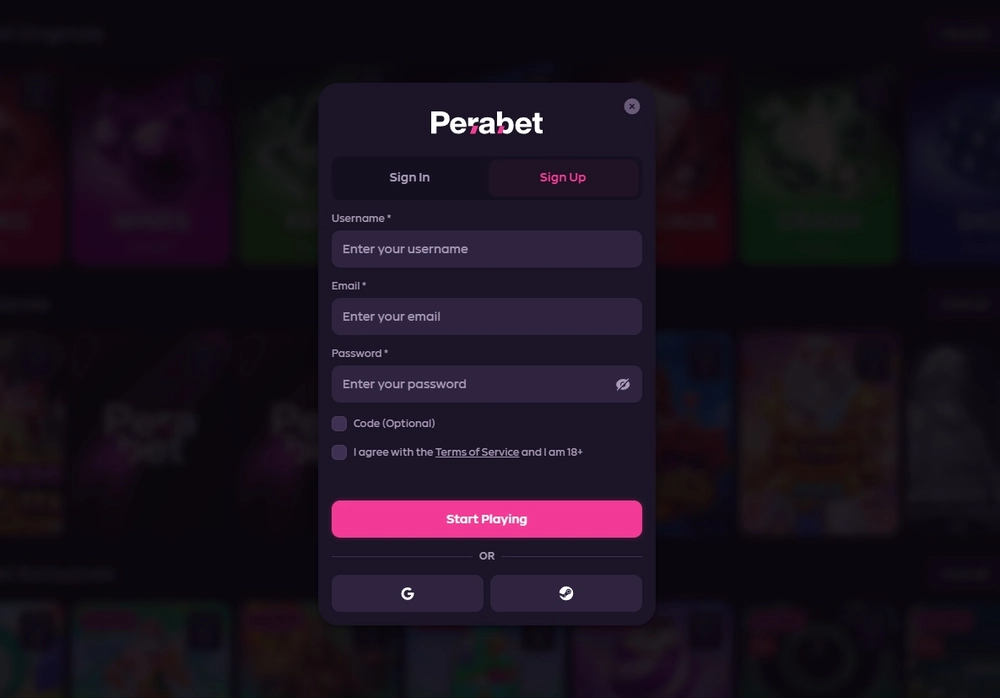
Create an account using a working email address, phone number and password, then confirm the email through the link received after submitting the form. This is how my complete route on a Xiaomi Redmi 10C went. The password was used for later login; an SMS code in this case was used for a withdrawal, not to confirm registration itself.
- Open the account creation form on the operator's verified site. If you doubt the address, first use the address-checking guide .
- Enter your own working email address and phone number. Check them before submitting: email confirmation and later messages depend on access to these contacts.
- Create a password and submit the form. Use a unique password that you do not use on other sites.
- Find the PeraBet email and open the confirmation link. After it is processed, log in with email and password.
- Open your profile and check how the confirmed email, phone number and security settings appear.
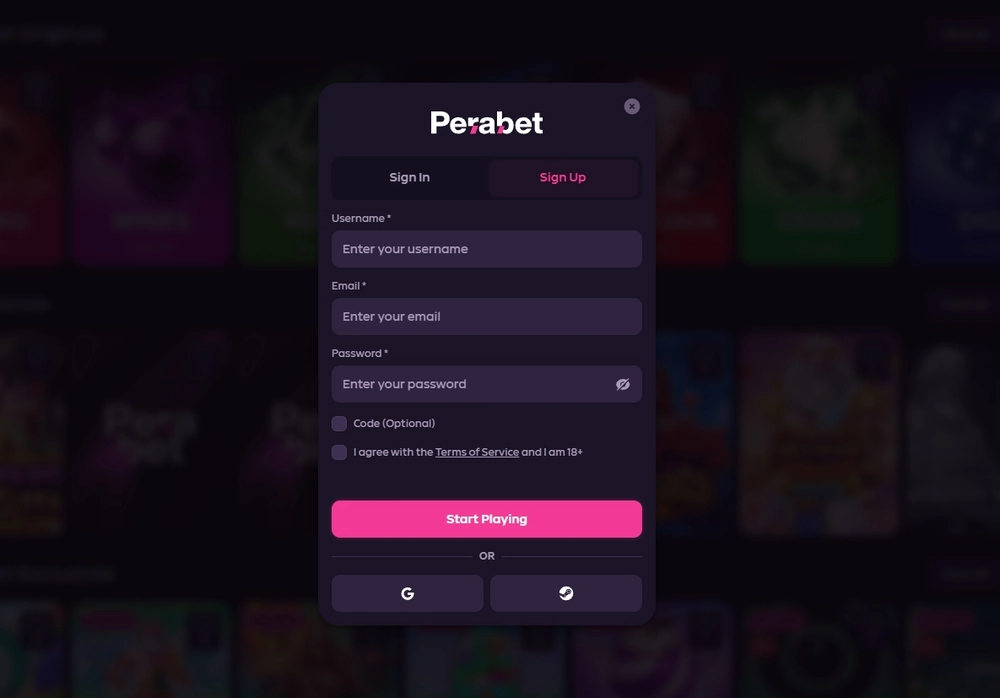
Table 1. Registration stages and the confirmed outcome for one account
| Stage | What the user does | What happened in my route | What should not be assumed |
|---|---|---|---|
| Profile creation | Enters email, phone and password | These fields were required in my route | The same fields in every form variant |
| Email confirmation | Opens the link in the email | Email confirmed before first login | A separate SMS confirmation of the phone during registration |
| First login | Enters email and password | Login succeeded after email confirmation | Automatic login without checking the address |
| Documents | Follows the prompts shown | No documents requested at registration | No KYC for every account |
This table describes the completed route of one account, not a promised verification sequence for every visitor. If a form shows a different request, follow the actual screen and the operator's terms. Do not send documents through a random message or link from an unverified channel.
What to do if you cannot find the email
First check that the email address was entered correctly, then look in folders where messages are sorted automatically. Request another email only through the normal interface route if available. Do not create a second account to bypass confirmation: the terms allow one active profile per person.
My case confirms that the email arrived and the link worked, but does not establish a universal delivery time. This guide therefore promises no specific number of minutes. If the email does not arrive or the address was entered incorrectly, read the guide to contacting operator support , keeping your password and codes private when seeking help.
Age, personal details and one account
Using the service requires an age of at least 18 or a higher threshold under local rules. The Terms also require one active account per person and accurate, current information. This applies to registration and continued use, so the name and other profile details should match documents if the operator later asks to verify them.
Do not share your account with another person or create extra profiles to claim a promotion again. The one-account rule applies whether or not documents were needed at creation. If contact details change, update the profile through the available route so you do not lose access to confirmations and support replies.
This page describes creating a profile. Terms of a specific first-deposit offer are covered separately in the bonuses section . The PeraBet welcome offer is 120% on the first deposit, up to $500 in bonus funds and 125 free spins; no unknown expiry, threshold or wagering rules should be added to it.
When identity verification may be needed
The absence of a document request when I created my account does not remove KYC. The Terms allow verification during registration or later, especially at financial thresholds or when other risk factors arise. The operator may request proof of identity, address, source of funds and payment-method information. Some account actions may be restricted until such checks are complete.
Table 2. Account verification in the completed route and under operator terms
| Time | My actual outcome | Terms condition | Practical takeaway |
|---|---|---|---|
| Registration | No documents requested | Verification may happen during creation | Provide accurate details; do not assume an automatic waiver |
| First deposit | No additional document requested | A request may arise during financial activity | The payment method must belong to the account owner |
| Withdrawal | One-time SMS code used | KYC may be needed before withdrawal | An SMS code and a document check are different procedures |
| Later verification | Did not occur in my route | Identity, address and source of funds may be requested | Respond only through the normal secure interface |
Level 1, Level 2 and Level 3 appeared in the profile. One level showed as available and the next as locked in that session. This describes the interface, not an identical path for every account to increase its level; check the order and requirements in your own profile.
Why SMS does not replace KYC
SMS confirms a specific action with a code, while KYC links an account to identity and source of funds. A code was used in my two completed withdrawals, but documents were not requested then. This does not mean every withdrawal occurs without document checks.
If the system asks you to confirm details, first identify the type of request and the action it concerns. Do not send a code, password or two-factor authentication secret to a support agent. For account restrictions, read the operator support guide ; the safety page covers legal identity and general protective measures.
Security settings after first login
After login, check your email, phone number and active sessions. PeraBet settings offer app-based 2FA with a QR code, secret key and authenticator-app code. I saw this setup route but did not enable it in my account, so I do not present successful activation as a completed test.
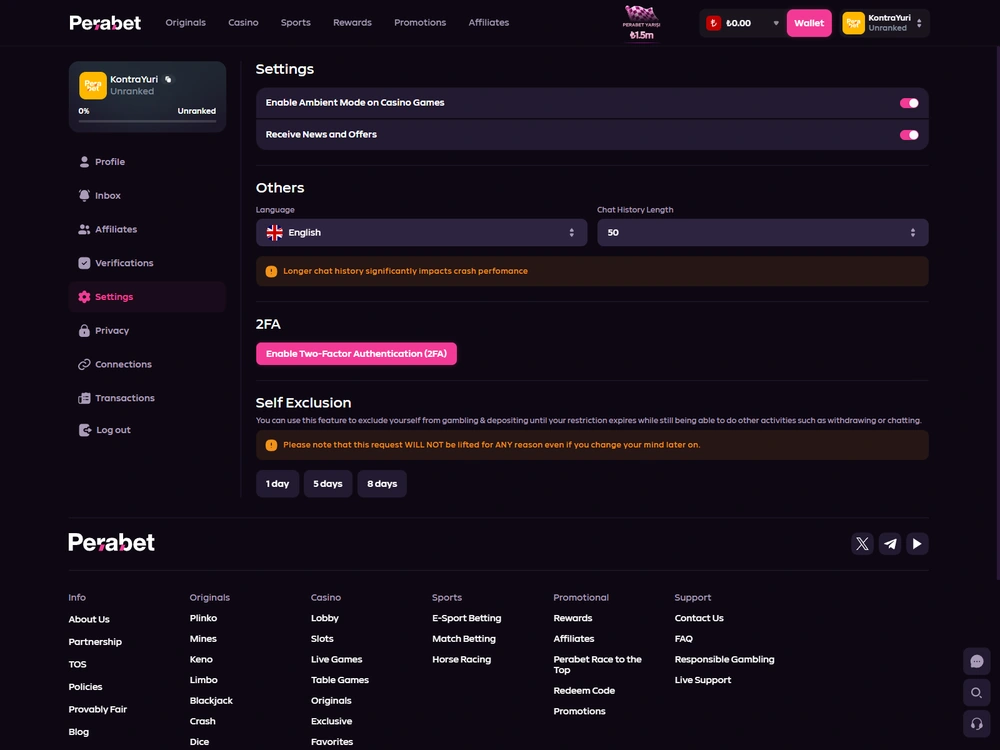
Use a separate password and keep a recovery method for your authenticator app in a safe place. If you logged in on someone else's device, end the unnecessary session in settings. After changing devices, I ended the previous session and logged in on an iPhone 14 Pro, confirming that session management was available in the profile used.
Forgotten-password recovery belongs to the login guide . The preparatory step here is to keep confirmed email and phone access available and review profile security in advance. That is easier than trying to correct contact details after losing access.
What to check before the first deposit
Complete registration, make sure email is confirmed and use a payment method that belongs to you. Before sending money, compare the currency, network, amount, fee and payment details in the current request. Support for a deposit method alone does not tell you its network, minimum or fee; check the terms of the selected request in the cashier.
The Terms require each deposit to be wagered at least once before a withdrawal request. This is a general condition on account funds, not the welcome offer's wagering requirement. Before paying, read the payments page and the specific promotion rules; do not confuse one token's deposit minimum with a bonus threshold or another method's limit.
Takeaway: create a profile and keep control of access
PeraBet registration includes creating an account, confirming email and logging in for the first time. My complete route did not require documents at these stages; this is one account's experience, not a universal KYC waiver. The terms require an eligible age, accurate details and one active profile. After login, check security settings, and before a deposit, separately confirm the chosen method's terms and any applicable promotion.

- Published
- 24 October 2026
- Device used to test registration
- Xiaomi Redmi 10C
- Methodology
- Rating methodology
Frequently asked questions about PeraBet registration
Must I confirm my email before first login?
In my completed route, the email with a link arrived before first login, and I confirmed the address before signing in. Use a working email and verify the message through the normal interface. Follow what the particular form shows when creating a profile.
Must I upload documents when creating an account?
No documents were requested when I created my account. The Terms nevertheless allow identity checks at this stage or later, including before financial actions. The absence of a request in one completed route does not guarantee the same for another account.
Can I open a second account for a new bonus?
No. The Terms allow one active account per person. An additional profile to claim a promotion or bypass restrictions conflicts with this rule. Check bonus terms within your existing account.
What is 2FA for in settings?
Two-factor protection adds an authenticator-app check to ordinary login. Settings show a QR code and secret key. I did not complete activation, so I do not claim a specific effect from enabling it on my account.
Does an SMS code for a withdrawal mean KYC is complete?
No. An SMS code confirms a transaction, while KYC may include documents and source-of-funds checks. The withdrawals described used an SMS code without a document request; the Terms permit document requests in other cases.
Responsible gambling
Gamble responsibly. Gambling can cause financial and personal harm. Set personal limits on time and money; participation is for adults aged 18+. If you need help, contact GamCare or GambleAware .
Legal information
The PeraBet operator is SXM Management N.V. (registration no. 138661), at Groot Kwartier 10, Livestrong Building, Curaçao. The operator's published information lists licence number OGL/2024/777/0365. Curaçao Gaming Authority: licence register